


macOS Android File Transfer error: Can’t access device storage (solved)
Android/macOS Solution: This article shows a solution to the Android File Transfer app “not working on Mac” problem, where you get the Android error message, “Can’t access storage device.” (This solution may also work on Microsoft Windows systems, though I don’t have a Windows system to test with to know for sure.)
Android “Can’t access storage device”
Last night I was trying to use the Android File Transfer program on my MacOS system to transfer music to my Google Nexus 9, which now runs Android 6 Android 7. After I connected my Nexus 9 tablet to the Mac with its USB cable and then started the Android File Transfer app, I saw this error message on my Mac:
Can’t access device storage. If your device’s screen is locked, disconnect its USB cable, unlock your screen, and then reconnect the USB cable.
This is what the Mac error message dialog looks like:
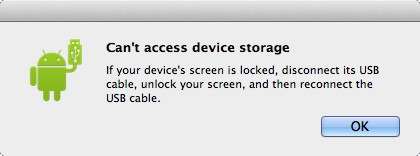
Unfortunately that’s a misleading and unhelpful error message, as the problem has nothing to do with the Android device screen being locked.
The solution
The solution to the problem on Android 7, Android 6 (and maybe Android 5) is to unlock your Android device (if it isn’t unlocked already), pull down the list of notifications, then tap the “USB for charging” notification:
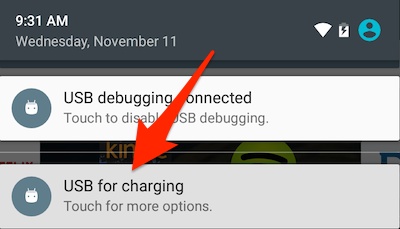
Tapping that notification brings up the following dialog:
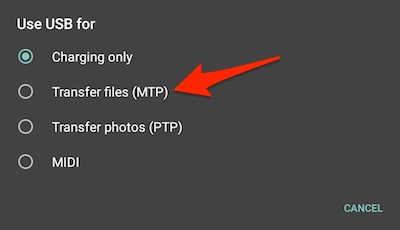
On this dialog you want to tap the “Transfer files (MTP)” option, as indicated by that large red arrow.
Note that this option has changed names at least once. As of March, 2017, it is now labeled “Transfer files,” with the subtitle, “Transfer files to another device.”
When you do this, the Android File Transfer app will either automatically start (which it does on my Mac), or you can go ahead and start it manually, at which point you’ll see the Android File Transfer main window:
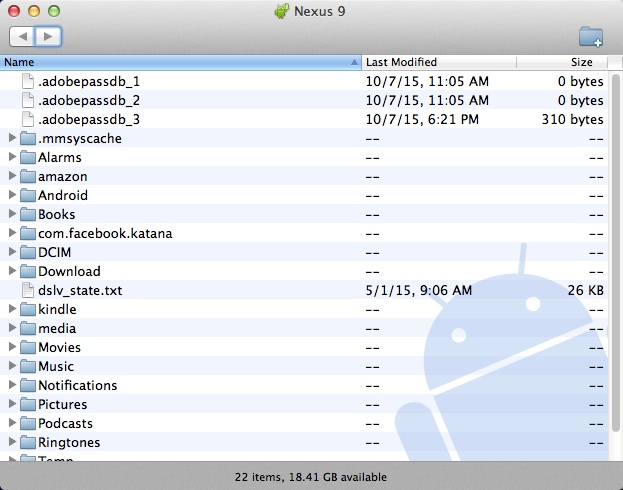
Once you see this window you can go ahead and start dragging files from your Mac (or Windows) computer to this Android File Transfer window.
Note: Be sure to click OK on the Mac
As Gert notes in the comments below, before you tap MTP on the phone, make sure you click “OK” on your Mac so that error message goes away.
A quick note about transferring music files
Note that if you’re transferring music files to your Android device, you’ll want to transfer them to the Music folder. To do this, double-click that folder to open it, then drag and drop music files from your PC into that folder. On a Mac you do this by opening a Finder window, navigating to the folder where your music files are located — such as /Users/Al/Music/iTunes/iTunes Music — and then dragging and dropping the files from the Mac Finder window to the Android File Transfer window. Then start the “Play Music” app on your Android device and you should see your files under the “Recent activity” area on the home page of that app.
Summary
In summary, if you get the “Can’t access device storage” error when using the Android File Transfer app when trying to transfer files from your Mac or Windows system to your Android phone or tablet, I hope this solution is helpful.