


Rdio announced that Pandora is acquiring their “innovative technology and critically-acclaimed design” for $75M. Pandora confirmed this with their press release.
Scala, Java, Unix, MacOS tutorials (page 220)
| A Big Data Bestseller! | |

|
Designing Data-Intensive Applications |

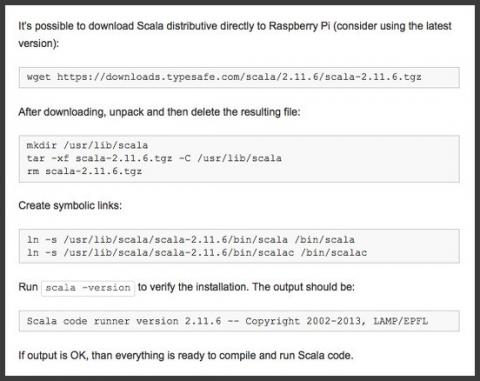
With just a few changes (such as the need to use the sudo command, depending on your setup), this link shows how to install Scala on a Raspberry Pi system. One change is that a better link for the latest version of Scala is the Scala downloads page.
If you want to run/execute a main method from a jar file you created with Scala and the sbt package command, this little tutorial shows how to do it. To make things a little more complicated, my Scala project depends on three external jar files, and the main method requires a command-line argument.
As noted in the Summary, you’ll probably want to use a tool like SBT-Assembly for larger projects.
Earlier today I needed a function that would return a desired number of blank spaces so I could “pad” some output as desired. For some reason my mind went blank and I forgot about using a printf-style solution, and it quickly went to, “How can I write a Scala function to return n number of blank spaces?”
Note: If you just want the “best” solution, please scroll to the bottom of this article.
[toc hidden:1]
Android/macOS Solution: This article shows a solution to the Android File Transfer app “not working on Mac” problem, where you get the Android error message, “Can’t access storage device.” (This solution may also work on Microsoft Windows systems, though I don’t have a Windows system to test with to know for sure.)
Android “Can’t access storage device”
Last night I was trying to use the Android File Transfer program on my MacOS system to transfer music to my Google Nexus 9, which now runs Android 6 Android 7. After I connected my Nexus 9 tablet to the Mac with its USB cable and then started the Android File Transfer app, I saw this error message on my Mac:
Can’t access device storage. If your device’s screen is locked, disconnect its USB cable, unlock your screen, and then reconnect the USB cable.
This is what the Mac error message dialog looks like:
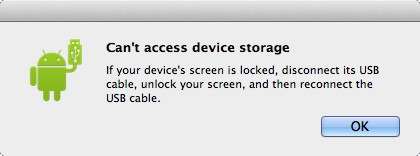
Unfortunately that’s a misleading and unhelpful error message, as the problem has nothing to do with the Android device screen being locked.
The solution
The solution to the problem on Android 7, Android 6 (and maybe Android 5) is to unlock your Android device (if it isn’t unlocked already), pull down the list of notifications, then tap the “USB for charging” notification:
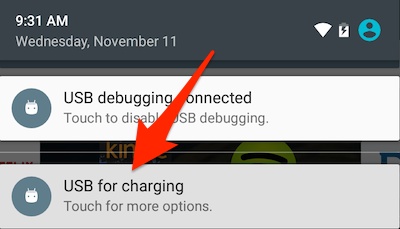
Tapping that notification brings up the following dialog:
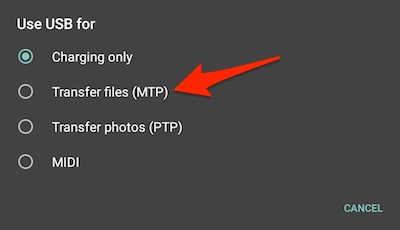
On this dialog you want to tap the “Transfer files (MTP)” option, as indicated by that large red arrow.
Note that this option has changed names at least once. As of March, 2017, it is now labeled “Transfer files,” with the subtitle, “Transfer files to another device.”
When you do this, the Android File Transfer app will either automatically start (which it does on my Mac), or you can go ahead and start it manually, at which point you’ll see the Android File Transfer main window:
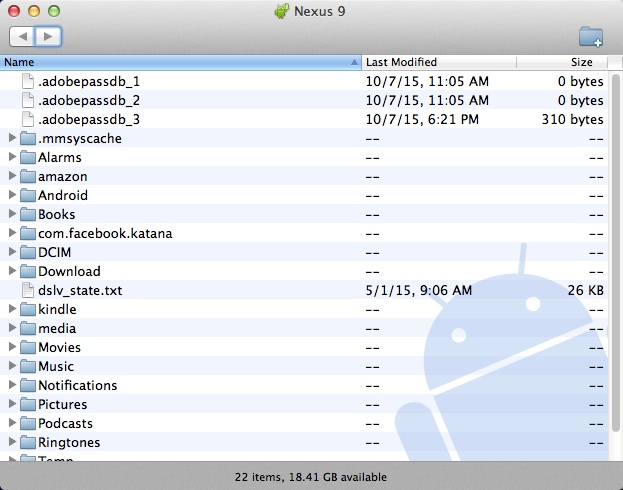
Once you see this window you can go ahead and start dragging files from your Mac (or Windows) computer to this Android File Transfer window.
Note: Be sure to click OK on the Mac
As Gert notes in the comments below, before you tap MTP on the phone, make sure you click “OK” on your Mac so that error message goes away.
A quick note about transferring music files
Note that if you’re transferring music files to your Android device, you’ll want to transfer them to the Music folder. To do this, double-click that folder to open it, then drag and drop music files from your PC into that folder. On a Mac you do this by opening a Finder window, navigating to the folder where your music files are located — such as /Users/Al/Music/iTunes/iTunes Music — and then dragging and dropping the files from the Mac Finder window to the Android File Transfer window. Then start the “Play Music” app on your Android device and you should see your files under the “Recent activity” area on the home page of that app.
Summary
In summary, if you get the “Can’t access device storage” error when using the Android File Transfer app when trying to transfer files from your Mac or Windows system to your Android phone or tablet, I hope this solution is helpful.
I woke up at 2am to discover our first snowfall of the 2015 winter season here in the Boulder, Colorado area. We got a couple of inches before it stopped, though it will probably all melt today (November 11, 2015).

Oculus announced today that the Samsung Gear VR is now available for pre-orders at $99. You can learn a little more at the Samsung Gear VR page, or order the VR at this Amazon.com link. (Personally, I’m much more interested in this than a watch.)

Did Aqib Talib deserve his one-game suspension for poking another NFL player in the eye? A survey of people who read the Denver Post sports think so.

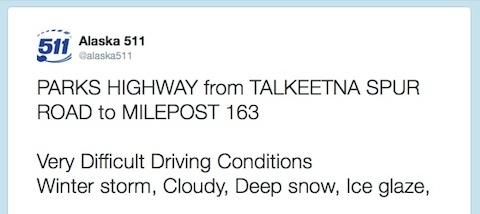
Meanwhile, in Alaska ... Dateline November 9, 2015, 5:53 a.m., a winter storm is blasting an area just north of Talkeetna, which means that Talkeetna is probably getting hit as well. (Image from this Twitter post.)
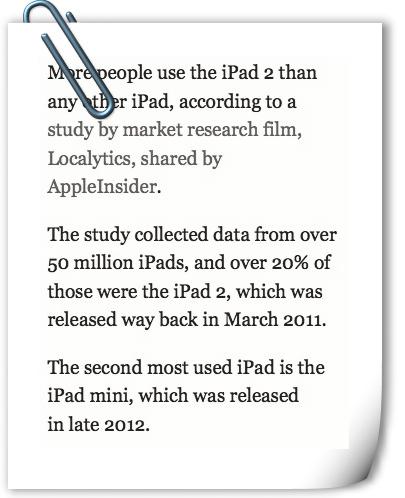
As the owner of an iPad 2, I agree with this Business Insider article that shows stats where people keep their old iPads forever. As they state, iPads are “largely consumption devices designed to stream videos and browse the web and social media, and those tasks don't need the latest and fastest specs to work well.”
In fact, because there is no “stickiness” to using an iPad, I bought a Nexus 9 in January rather than buying the latest iPad.
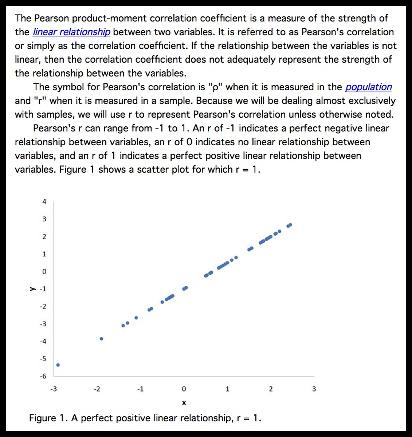
I was looking for some information about the Pearson Correlation, and came across the onlinestatbook.com website. If you’re into that whole statistics and algorithms thing, it looks like a useful website.
I took some time today to work on the UI for the second version of my Android football game. This is my current best-guess, rough-sketch of what it should look like:
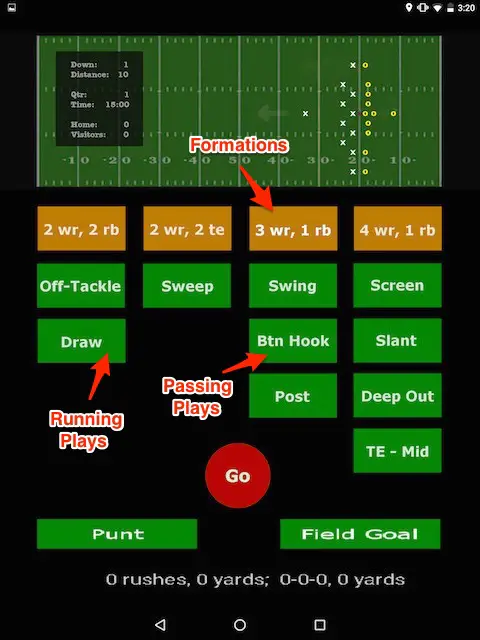
The basic idea is that when you’re on offense you (a) choose the formation, (b) choose the play, then (c) press Go to run the play. This gives a chance to change the formations and plays, especially once the defense gets smart enough to respond to what you’re doing.
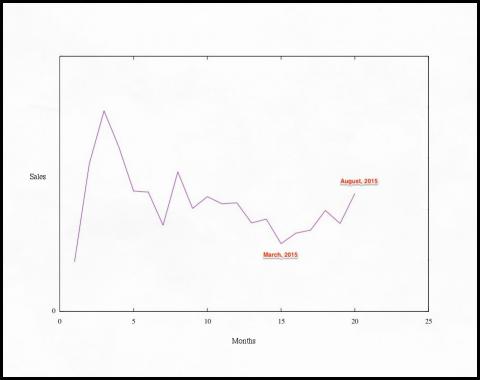
I was surprised when I looked at my bank account yesterday and saw more money than I expected. When I looked into the details I saw that the royalty payments from O’Reilly (for the Scala Cookbook) have been on the upswing for the last five months. I expected sales to be like a bell curve, with the sales slowly, sadly, asymptotically dwingling to zero ... but instead, sales began to increase in April, 2015.
I’ve been in the hospital nine times since March, so I’ve done nothing at all to promote the book, certainly nothing different than the first 15 months. I attribute this rebound solely to the rising popularity of the Scala programming language. There’s an old saying, “A rising tide lifts all ships,” and I think you’ll see that’s true when you look at the next image.
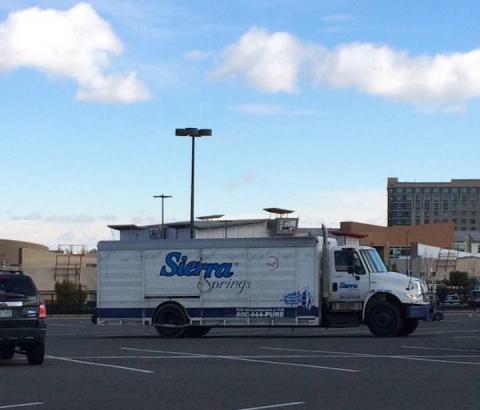
I was surprised to see a Sierra Springs truck in Broomfield, Colorado yesterday. I thought “Sierra Springs” was a fictional Adrian Monk thing. (After I realized what it was, I was also surprised that the truck wasn’t cleaner.)
| A Big Data Bestseller! | |
|
|
Designing Data-Intensive Applications |