Scala, Java, Unix, MacOS tutorials (page 351)

The Linux "who" command lets you display the users that are currently logged into your Unix computer system.

The basic who command with no command-line arguments shows the names of users that are currently logged in, and depending on which Unix/Linux system you are using, may also show the terminal they're logged in on, and the time they logged in.

who

Since I'm the only one logged into my Linux system right now, I see output like this:

Linux current directory FAQ: How do I show what directory I'm currently in on a Unix or Linux system?

Just use the Unix/Linux pwd command, like this:

pwd

If you're in a directory named /home/al, the output looks like this:

$ pwd
/home/al

If you're in a directory named /tmp, the output looks like this:

$ pwd
/tmp

That's all there is to the pwd command.

The Unix compress command is rarely used any more, and has largely been replaced by the Unix/Linux gzip and bzip2 commands. However, on some Unix systems the compress command is still used, so for them, here are a few examples of how to use it.

Unix compress command examples

The following command will compress the file named foo.tar into a new file named foo.tar.Z:

The Linux lpstat command lets you look at the progress of your print request(s). The name "lpstat" stands for "line printer statistics".

lpstat command examples

The "lpstat" command, used with no options, may return no output if there are no print jobs queued.

The lp command is used to print files on Unix and Linux systems. The name "lp" stands for "line printer". As with most Unix commands there are a fairly large number of options available to enable flexible printing capabilities.

Let's look at some lp printing commands examples.

Linux lp printing command examples

lp /etc/passwd

This command prints the "/etc/passwd" file to the default printer. If you do not use the "-d" option, the file is printed to the default printer destination.

The Linux "cancel" command lets you stop print requests from printing (cancel them).

Linux printing requests can be canceled by either (a) using the printer-id or (b) by specifying the printer name. Here are examples of each approach.

cancel laser-101

This first command cancels the print request identified as "laser-101". (You would have gotten this identifier using an lpstat command.

MySQL FAQ: How can I drop a series of database tables that have foreign key relationships between them?

If you ever have a problem where you need to drop a series of MySQL database tables that have foreign key relationships between them, the key to doing this is setting the FOREIGN_KEY_CHECKS variable before and after your MySQL DROP TABLE queries.

For example, something like this should work:

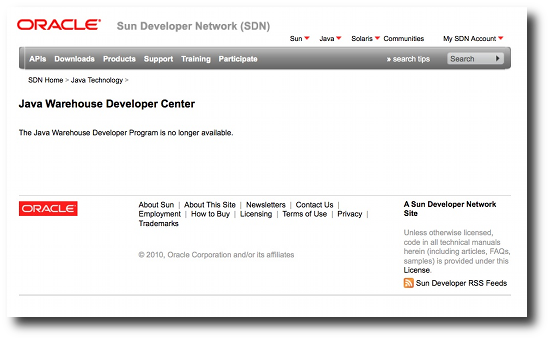
Java App Store news: I may have missed the announcement somewhere, but as I was researching Java on the Mac App Store, I just found that the Sun/Oracle Java App Store is dead. Here's an image of the Java App Store website:

Java App Store is dead

As I was writing my last article on the Apple VoicePass trademark, I ran into a discussion of Mac Carbon apps, and the new Mac App Store. I began to wonder, will the Mac App Store allow Carbon apps?

Apple trademarks VoicePass: I just read that Apple has trademarked the phrase "VoicePass" (or "Voice Pass"), and when I first heard the name, I assumed it stood for "Voice Password", meaning you could finally log into your Mac using a voice password instead of a text password. I'll be able to walk up to my computer, say "Soylent green is people", and the system will log me in, just like in the old tv show Millenium.

CakePHP readonly text field FAQ: Can I make a readonly textfield in CakePHP (a CakePHP Form input field, or Form text field)?

I haven't worked it all out yet, but I first tried to create a CakePHP readonly text field like this, using the CakePHP Form text object, which doesn't seem to work:

# this doesn't work
echo $this->Form->text('complexity', array('readonly' => 'readonly'));

When that failed I kept poking on the CakePHP Form input object, and was able to create a readonly text field like this:

Mac App Store/Java News: I just saw some posts on the Mac Java-dev mailing list wondering whether Java apps will be allowed in Apple's new Mac App Store. The short answer: No.

As I was looking for a definitive answer myself, another person posted the Java Mac App store answer:

CakePHP multiple layouts FAQ: How do I use multiple layouts in CakePHP? Also, is there an easy way to switch between different layouts in my CakePHP controllers?

To use multiple layouts in CakePHP, the CakePHP docs tell us to switch layouts in our CakePHP controller functions (actions), like this:

CakePHP jQuery FAQ: How do I get jQuery to work with CakePHP? (For example, to put default input focus on a textfield when a page loads (the onload event)).

If you haven't already done it, the first thing you need to do is install jQuery to work with CakePHP. Here's a quick CakePHP jQuery installation primer.

CakePHP jQuery installation/configuration

Before beginning, it is important to note that I'm working with CakePHP version 1.3.6, and jQuery version 1.4.4.

CakePHP log file output FAQ: Help, where is my CakePHP log output? I can't find my CakePHP error log output or my CakePHP debug log output.

If you're writing CakePHP log file output as shown in either of these two methods:

CakeLog::write('debug', 'Where is this message going?');
$this->log($this->data, 'debug');

but can't find this CakePHP log output in your Apache log files or PHP log files, fear not, it's somewhere else. That location is:

CakePHP field required validation rule - How to make a CakePHP view field a required field.

I'm still very new to CakePHP, and as a result I just spent thirty minutes fighting with a CakePHP field required rule. In short, if you want a text field to be required, your CakePHP validation rule should look something like this:

Just a quick note that if you're interested in seeing photos of last night's lunar eclipse from Wasilla, Alaska, I just posted these Alaska lunar eclipse photos. My camera gear isn't great yet (a very good Pentax K-x, but no good lenses) but the large 4.4 MB image shows how clear the sky was here last night, as you can clearly see not only the orange-red moon, but many stars in the background as well.

CakePHP find FAQ: Can you share some "CakePHP find conditions" examples?

One thing you need to get used to when working with CakePHP is the CakePHP find method. To that end, I thought I'd put together this page of CakePHP find conditions and find query examples.

CakePHP find conditions

To get started, here's a list of the possible CakePHP find conditions you can use:

AppleScript dialog icons FAQ: How do I put icons on my AppleScript dialogs?

I started to get into this a little bit in my earlier "How to customize AppleScript dialogs" tutorial, but in this article I thought I'd just dig into the AppleScript dialog icons details.

AppleScript dialog icons - The "with icon" syntax

In short, you add icons to your AppleScript dialog using the AppleScript "with icon" syntax. Here are a few simple examples.

First, the AppleScript dialog note icon:

A Chrome OS notebook test? - As a friend wrote to me the other day, "Want to try a Google Chrome OS notebook? Take you current notebook/laptop/netbook, fire up the Chrome browser, put it into full screen mode, and see how long you can work that way."