


Over the last three days I've created a new Java Swing application for the Mac OS X platform, and today I'm giving away all the source code for this project (free of charge). The complete project includes both (a) all the Java source code and (b) all of the Ant build script code needed to build this application. The end result of the build is what appears to the end user to be a native Mac OS X application.
Scala, Java, Unix, MacOS tutorials (page 381)
| The Bill Gates Bestseller | |

|
How to Avoid a Climate Disaster |
Okay, sorry for this rant, but I have had a very bad experience with Toyota regarding my 2006 Toyota RAV4, and I'm upset about it.
My rant is short: The RAV4 I currently own was my first Toyota purchase, the overall experience has been very poor, and I've just spent three days trying to get this latest RAV4 problem resolved. Toyota acknowledges this problem is a design flaw, but now it turns out that Toyota's "customer care" people don't actually care.
Problem
You want to implement a nice mouse rollover effect on the buttons (JButton instances) in your Java Swing application. This Java button rollover effect makes your application feel more "alive" and interactive.
You can see what this button rollover effect looks like in the following two images. First, here's what a Java button (JButton) looks like normally:
As I was digging around through some code today, I found the following Java Random class example, and thought I'd share it here for anyone needed to see how to work with the Random class in Java. This example shows how to generate a random number in Java that is greater than or equal to 0, and less than 100:
Here's a quick demonstration of how to create a Tomcat connection pool (database connection pool) using the Tomcat DBCP library.
I'm not going to go into a detailed explanation here of how Tomcat DBCP works, other than to say that it works for me, and I've tried to include everything here that you'll need to implement your own Tomcat DBCP database connection pool in your web applications.
Here's a quick example of how to use the Java DecimalFormat class to format float and double numbers for output, such as printing information in a currency format.
The example below creates a simple DecimalFormat that is similar to a U.S. currency format. As you can see from the for loop, it begins printing at 100, and prints decimal numbers up to a value of just over 1,000:
Java Date FAQ: How do I determine tomorrow's date in Java?
Many times when you're working with a Java Date, you need to be able to add something to a date, i.e., to get tomorrow's date, or the next week, or the next year. In this short tutorial, we'll demonstrate how to easily add one day to today to get tomorrow's date.
Mac HTML editor FAQ: What is the best free Mac WYSIWYG HTML editor?
As I continue my quest to find a great, simple, and free Mac HTML WYSIWYG editor ... well, I still can’t find anything that blows me away. But I will give you my take on the best free Mac WYSIWYG HTML editor I can find right now.
My ideal free MacOS WYSIWYG HTML editor (the criteria)
The ground rules for my best free Mac WYSIWYG HTML editor are the same as they were the last time I did this search: I just want to find a great free Mac HTML editor I can use to create articles for my websites. I don't need to create an entire website, I just need a Mac HTML editor where I can write one blog page at a time.
That one wish led to these basic features I want in a free Mac WYSIWYG HTML editor:
- A true Mac WYSIWYG HTML editor. I don't want to see any HTML markup. I can use TextMate, vi, or other Mac text editors for any finishing touches I need.
- I'm not interested in graphics with my free Mac HTML editor. I just want to use a simple subset of tags, including P, A, CODE, EM, PRE, H1-H4, UL, and OL, with an occasional bold, underline, or table.
- Carriage returns should create paragraphs (not break tags).
- I can create tables and lists by clicking a button just before I need to create them.
- Integrated spell-checking.
- Basic copy, paste, search, and undo functionality.
- Native Mac keystroke support.
Second, here is a short list of “not 100% necessary, but nice to have” free Mac WYSIWYG HTML editor features:
- Let me switch between WYSIWYG and HTML views and edit content in either view.
- Let me edit more than one document at a time. (This violates my "own wish" above, but I occasionally do work on more than one article at a time.)
- Some sort of type-ahead, auto-complete editor magic.
- Let me change the Mac HTML editor fonts and colors, and remember those as preferences.
- Same thing with window sizes and locations.
The best free Mac WYSIWYG HTML editor is ...
UPDATE: The best free MacOS WYSIWYG HTML Editor I can find in 2018 is SeaMonkey, which comes from the Mozilla Project. It’s far from perfect, but it beats typing HTML by hand. (This section used to be longer, but the list of competitors has gotten small since I first wrote this article.)
Netflix (finally) awarded a $1M prize to a seven-member group that has been able to improve the Netflix movie recommendation system by at least 10%.
The AP reports that the Netflix contest began in October of 2006, and there were over 51,000 contestants. The competition was apparently very close, with two teams (Ensemble and BellKor) in an apparent dead-heat.
Java array FAQ: Can you share an example of how to sort a Java String array?
Sure. The following source code shows how to sort an array of strings. In short, you can easily sort a string array with the Arrays class sort method, shown in bold below:
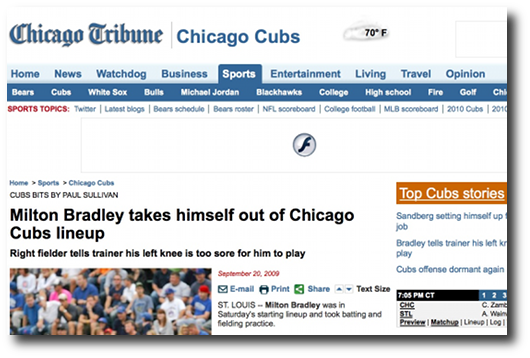
I was just reading the online version of the Chicago Tribune sports section this morning, and I wrote a friend that I'd probably be willing to pay a small amount to read the Trib online. I wouldn't pay very much ... maybe $1 or $2 a month ... but I grew up in Chicago, so it's nice to read deeper stories about Chicago sports than I can find without looking around harder.
This page shows the contents of the Linux cp comamnd man page. This cp command output was created on a CentOS Linux system.
You can see this same cp command man page output by entering this command on your own Linux system:
This page shows the contents of the Linux locate comamnd man page. This locate command output was created on a CentOS Linux system.
You can see this same locate command man page output by entering this command on your own Linux system:
This page shows the contents of the Linux df comamnd man page. This df command output was created on a CentOS Linux system.
You can see this same df command man page output by entering this command on your own Linux system:
This page shows the contents of the Linux du comamnd man page. This du command output was created on a CentOS Linux system.
You can see this same du command man page output by entering this command on your own Linux system:
This page shows the contents of the Linux chmod comamnd man page. This chmod command output was created on a CentOS Linux system.
You can see this same chmod command man page output by entering this command on your own Linux system:
This page shows the contents of the Linux rm command man page. The rm command ("remove") is used for deleting files and directories on a Unix or Linux system.
This rm command output was created on a CentOS Linux system. You can see this same rm command man page output by entering this command on your own Linux system:
This page shows the contents of the Linux mkdir command man page. This mkdir command output was created on a CentOS Linux system.
You can see this same mkdir command man page output by entering this command on your own Linux system:
This page shows the contents of the Linux mv command man page. The Linux and Unix mv command is used to move and rename files and directories.
This mv command output was created on a CentOS Linux system. You can see this same mv command man page output by entering this command on your own Linux system:
This page shows the contents of the Linux scp command man page. The scp command is used to perform a "secure" copy of one or more files between two Linux or Unix systems.
This scp command output was created on a CentOS Linux system. You can see this same scp command man page output by entering this command on your own Linux system:
| The Bill Gates Bestseller | |
|
|
How to Avoid a Climate Disaster |