


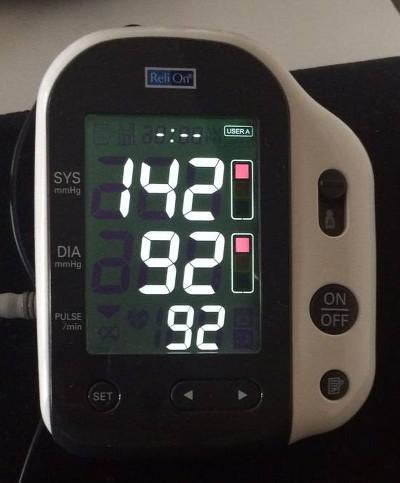
There I was, minding my own business, when suddenly I felt the usual symptoms come on. My face gets very warm, feeling flushed, like all of my blood is going there for some reason, and I have about a minute to lay down or pass out. I’ve never posted this here before, so, for the record, this is what my blood pressure and heart rate were more than twenty minutes after that event. (I didn’t think to check this during the event, as I was just kinda hanging on.) When I’m at home my BP is normally about 115/75 and my heart rate is usually in the 60s.
Scala, Java, Unix, MacOS tutorials (page 195)
| Conquer Public Speaking With the Classic Bestseller! | |
|
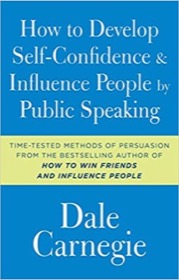
How to Develop Self-Confidence and Influence People By Public Speaking |
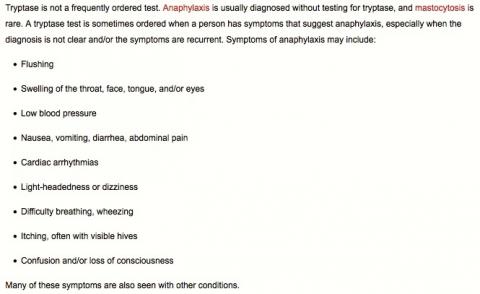
A doctor at the University of Colorado had my blood drawn two weeks ago to test the tryptase level(s) to see if I have an illness called “Mastocytosis.” This page at labtestsonline.org has a good description of the symptoms of mastocytosis (as shown in this image), along with the reasons why doctors test the tryptase levels as a way to evaluate mastocytosis, along with other things like anaphylaxis (anaphylactic shock).
From this NY Post story about Joakim Noah and Phil Jackson:
Noah told a bizarre story about journeying to Montana five years ago to pay an unannounced visit to the then-retired Zen Master at his lakehouse retreat. Noah’s dentist was a Jackson friend and once had put the two together on the phone briefly. Still, Jackson was stunned by Noah arriving at his doorstep.
“I took a plane, went to Montana and I knocked on his door,’’ Noah said. “We started talking. ‘Why are you here?’ [he asked]. I said, ‘I don’t know.’ It was a great couple of days — an opportunity to meet one of the legends and spend time with him. Life works in mysterious ways and now we’re here.”
I found this Apollo 11 source code tweet at this url, and the bug report and 100+ comments are here on Gituhub.

Senator,
Every day, 91 people are killed by rapid-fire assault phasers. Pass common-sense phaser laws now.
Worf, Son of Mogh
Security Chief, Starship Enterprise
(adapted from this tweet)
I’m currently generating my new book on “functional programming in Scala” as a PDF using a combination of Pandoc and LaTeX, and as a result it feels like I’m opening the same PDF file about 100 times a day.
A little while ago I decided it would be really nice if I could go directly to the page I’m interested in when the PDF opens, so I cobbled together a Unix shell script and some Applescript that (a) opens the PDF in the Mac Preview app, and (b) goes directly to the page I’m interested in. It turns out that Preview isn’t very scriptable, so I have to jump through a few hoops to get to the desired page:
#!/bin/sh

FILE="${PWD}/book.pdf"

if [ -z "$1" ]
then
  echo "Dude, I need a page number."
  exit -1
fi

PAGE=$1

# ----------------------
# Applescript below here
# ----------------------

osascript <<EOF

set pageNumber to $PAGE
set fileName to "$FILE"

set posixFile to POSIX file fileName
tell application "Finder" to open posixFile

delay 2
tell application "System Events"
    keystroke "g" using {option down, command down}
    keystroke pageNumber
    delay 1
    keystroke return
end tell

EOF
I named this script preview.sh, and I run it like this to go directly to page 20 in the PDF (which is named book.pdf):
./preview.sh 20
As usual, there are probably other/better ways to do this, but (a) I can confirm that this works, and (b) a lot of other things I tried didn’t work.
I kinda-sorta like writing code with Sencha Touch and Ext, but I have to say that big problems you encounter with trying to use one tool to write code for multiple platforms are (a) bugs that affect one platform and not another, and (b) trying to write code to some common denominator — when that “common” approach doesn’t look native on any of the platforms.
I write this as various bugs in different cross-platform tools have driven me crazy lately. Some of these are related to Sencha, and some are not, but the end story is that I will tell any customer that if they have the money, they should pay to have native apps on each platform.
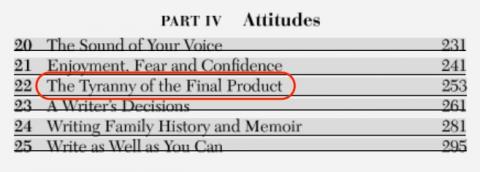
The words “The tyranny of the final product” remind me of every software project I’ve ever been involved with, and the few books I’ve written.
This image comes from the table of contents of the book On Writing Well: The Classic Guide to Writing Nonfiction.
In another example of a high-profile software quality problem, Gizmodo reports that a Japanese satellite that was meant to observe black holes was doomed by poor software quality:
“It was only up there a month when something went wrong. A series of unfortunate events caused by both human errors and software flaws sent the satellite spinning out of control.”
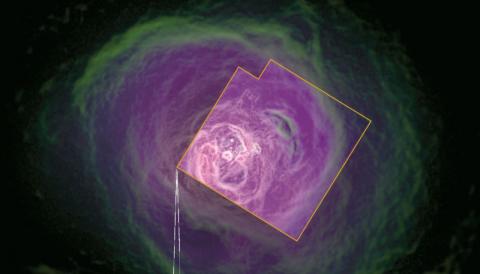
I’ve seen several articles about major software bugs (and a lack of testing) recently, and one of them is related to MRI/fMRI image processing. From this article at theregister.co.uk:
When you see a claim that “scientists know when you're about to move an arm: these images prove it”, they're interpreting what they're told by the statistical software.
A whole pile of “this is how your brain looks like” fMRI-based science has been potentially invalidated because someone finally got around to checking the data.
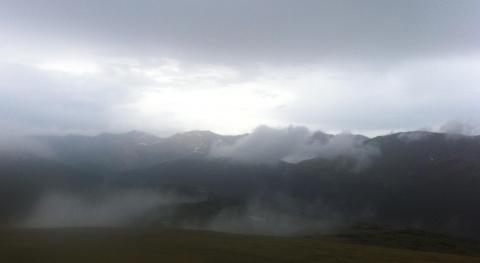
Four years ago I spent the day in Rocky Mountain National Park, near Estes Park, Colorado, and when I left the temperature was 45 degrees. By contrast, it’s supposed to be 95 degrees in Boulder today.
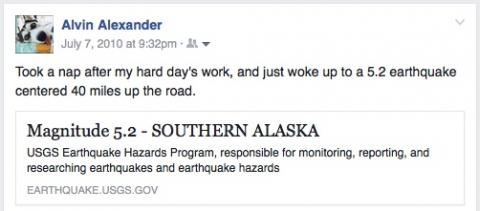
Six years ago I was forty miles from the epicenter of a 5.2 magnitude earthquake in Alaska.
(And I’d still rather live there than anywhere else.)
July 6, 2016: The Brooks Falls Katmai National Park “bear cams” are back online at explore.org.
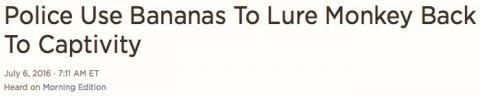
This headline made me think that they used to try to lure me back to work with cookies and donuts.
I have always known the song Blinded by the Light to be performed by Manfred Mann’s Earth Band, but I learned last night that the song was originally written and performed by Bruce Springsteen. I had a hard time believing that Springsteen would write lyrics like this, but I looked it up, and it’s true.
Here’s the version I’ve always known:
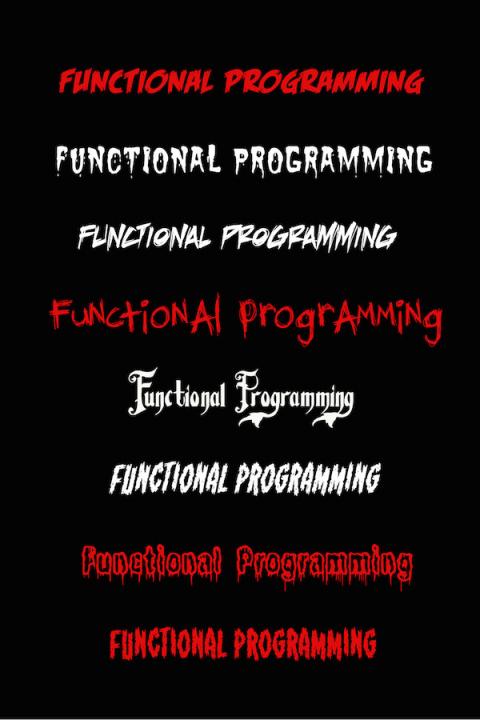
I’m working on cover designs for my new “Functional Programming in Scala” book, and I want the words Functional Programming to be scary or intimidating. These are some different font ideas. The red fonts seem to get the “scary” point across well, though I suspect that some combinations of grays and white can also work.
“Deeds, not words.”
vim tip: If you reopen a file with vim and want to go to your last position in that file, type '"
(That’s an apostrophe followed by a double-quote.)
LinkedIn is “funny.” Where Facebook won’t tell you when other people look at your stuff, LinkedIn constantly reminds you, “X number of people have looked at your profile. Just give us some money and we’ll tell you who it was.”
| Conquer Public Speaking With the Classic Bestseller! | |
|
|
How to Develop Self-Confidence and Influence People By Public Speaking |