


Drupal form FAQ: Is there a special way I should create a Drupal weight field in a Drupal form (a Drupal 6 or Drupal 7 form)?
Drupal has a concept of "weight" that is used in various places, including the Taxonomy and Book modules, and to help support that concept, the Drupal Form API has a "weight" form element.
Assuming that you're comfortable with creating a Drupal form, you can create a Drupal form weight element like this:
$form['weight'] = array(
  '#type' => 'weight',
  '#title' => t('Weight'),
  '#default_value' => 0,
  '#delta' => 10,
  '#description' => t('Heavier items will sink and the lighter items will float to the top.'),
);
This creates a Drupal weight field with the title of "Weight", and looks like this when the combobox is not open:
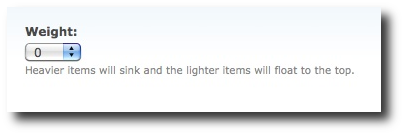
and looks like this when the combobox is opened:
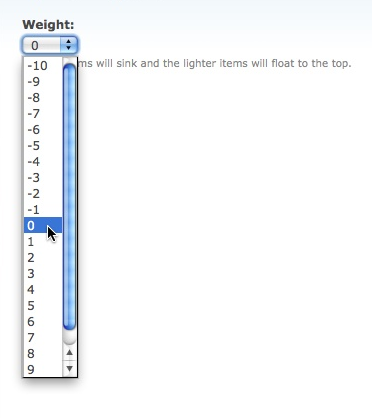
The weight delta field determines the range of weights made available in your Drupal weight field. This #delta field defaults to 10, so the range of weights typically goes from -10 to 10, but you can change it to other values. For instance, changing it to 20 will change the range of weight values to go from -20 to 20.
In full disclosure here, I haven't used the Drupal weights field yet for anything other than this example, so I probably won't be able to answer too many questions. I do know that this field is used in many places within Drupal modules and contributed modules, including the Drupal Taxonomy module and Drupal Book module.
(If you're not comfortable with creating a Drupal module or Drupal form, please see my first Drupal form example/tutorial.
You can find more information about the Drupal weight element on this Drupal Form API reference page.
Drupal form weight element example - Summary
I hope this Drupal form weight field example has been helpful. If you have any questions just leave a note in the Comments section below and I'll be glad to help (if I can).
books by alvin
 |
 |
 |
 |