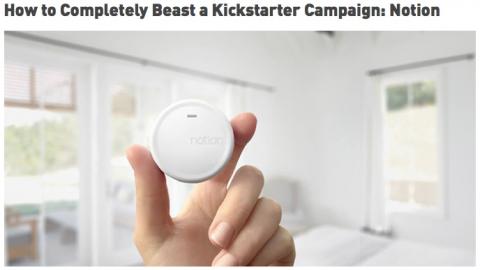
This is a good article on how to run a successful Kickstarter campaign. (Note: It also helps if you have a product people want.)
Scala, Java, Unix, MacOS tutorials (page 247)
Jonathan Ive on playing rugby, and teamwork, from the New Yorker article.

The New Yorker has this nice article on Jony Ive and Apple.

These quotes are from a good article on Chicago Now about Mike Olt. After a fast start he struggled a lot in 2014, so he’ll be attempting to make a comeback in 2015. (Personally, I thought his pitch selection was not very good. From what I saw, he took a lot of fastballs, and would swing at a lot of breaking balls. Maybe that’s part of the head movement he refers to.)
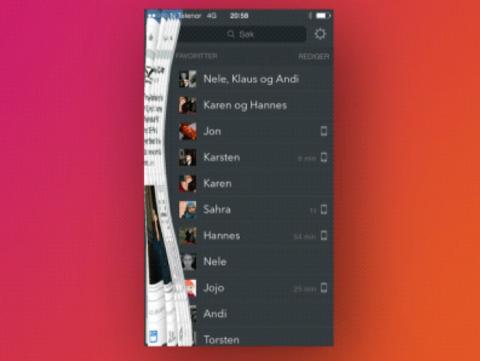
This page shows what a real, physical curtain might look like if you used it on a mobile app when a user slides a panel to the side.
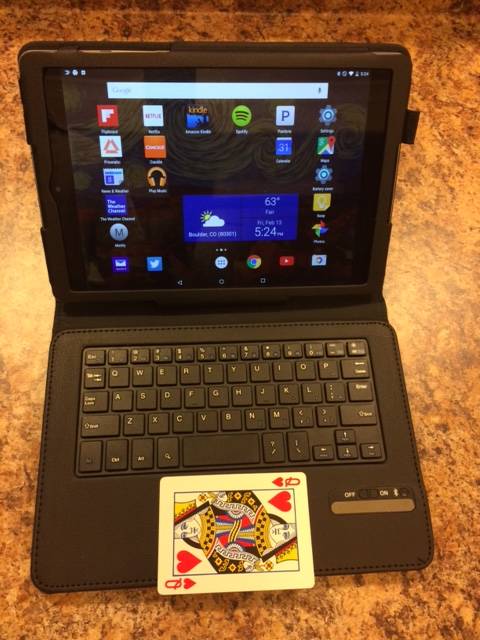
I purchased an “IVSO Google Nexus 9 8.9-inch Bluetooth Keyboard Portfolio Case
First up, here’s an image of the IVSO folio with my Nexus 9
Creating a Preferences screen in Android isn’t too hard. The website rominirani.com has a very good preferences tutorial that just needs a minor update for Android 5, as a piece of the code shown there has been deprecated.
To create an Android Preferences UI, just follow these steps:
[toc hidden:1]
I have been following Living with Wolves on Facebook, and they announced that they are now on Twitter, also.

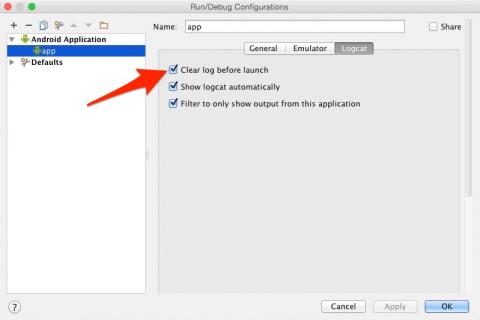
To clear logcat output in Android Studio before each test run, follow these steps:
- Click Run
- Click Edit Configurations...
- When the “Run/Debug Configurations” dialog shows up, click the Logcat tab
- Enable the “Clear log before launch” checkbox, as shown in the image.
- Click OK, and your logcat output will be cleared before each new run in Android Studio.
If you wanted to see how to clear logcat output before each test run in Android Studio, I hope this is helpful.
If they ever make a movie about Greg Maddux, it looks like Rob Morrow could play the leading man.